Free Cloud Library
of Sound Effects & Music

SoundQ is our free desktop app that helps you find the right sound faster. Organize your
sound library for quick search, integrate with your editor of choice, and send sounds from
the cloud to your timeline instantly.
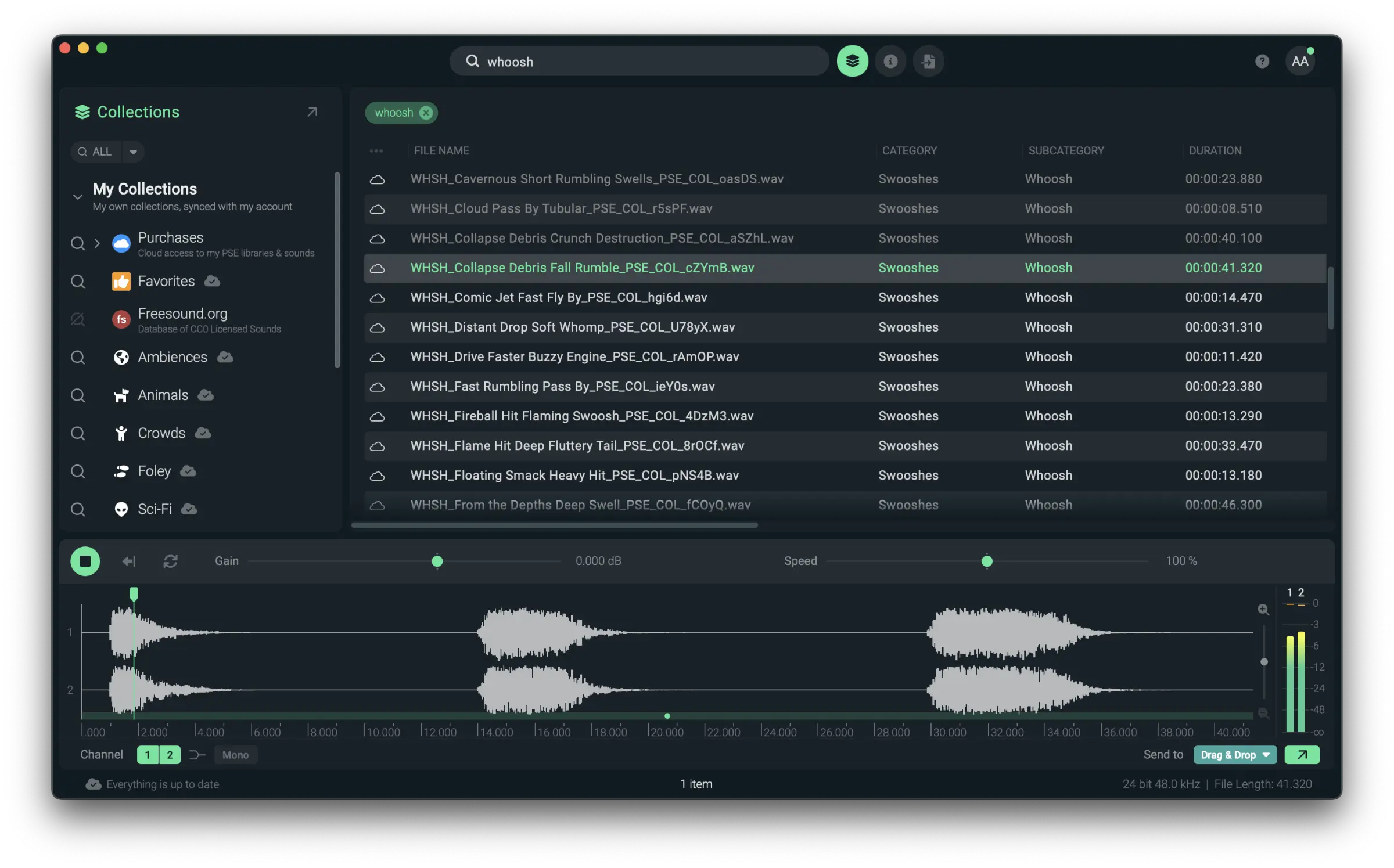
Spend less time searching and more time creating. SoundQ puts your sonic palette at your fingertips to make your sound effects library work for you - so you can finish projects faster.
Using Finder/Explorer to search by filename? You’re only seeing the tip of the iceberg. Organize all your local files with unlimited records and databases. Customize with collections, and edit metadata in open iXML format.
Seamless integration into your workflow with the press of a button – including Spot to Timeline for Pro Tools, Reaper, and Premiere. SoundQ works with all NLEs and DAWs, so you can drop directly to your editing software of choice.
Compatible with:

Access your Pro Sound Effects purchases in the studio and on the go. Or get started with the SoundQ Free library of royalty-free sound effects and music tracks.
of Sound Effects & Music

Enter Search Terms in Any Language

All Sound Effects are UCS-Optimized

or Adobe Premiere, Pro Tools, and Reaper

Create, Customize, and Share to Organize and Optimize Your Workflow

Select and Audition Individual Channels for Export

Unlimited In-App Access to Your Purchased Pro Sound Effects Libraries

Import Your Local Library for Search

Sounds to Any Application

Apply High-Quality Varispeed and Reverse in Real-Time

Combine Keywords with Boolean Search, Show/Hide Results from Any Collection

Read & Write Metadata to Database in Open iXML Format

Unlimited In-App Access to the Freesound.org Library (CC0 Only)

Mono, Stereo, and Multi-channel
WAV, AIFF, OGG, FLAC, MP3 (Read Only) Up to 32-bit/192kHz

macOS 10.12 and later
Windows 10 – 64-bit version